You may have seen signs throughout the library or on our website, advertising this service called “Meescan”. But, what on earth is it? And why should you care?
Meescan is a mobile app you can use to check out your books at the library, and you should use it because it is fun, convenient, and completely free!

That’s the long and short of it, but I can sense questions. Such as:
“What?! Another app? I don’t need another app on my phone–I’ve got too much to keep track of already!”
And believe me, I hear you. I can’t tell you how many times I’ve downloaded an app on the promise it will make my life infinitely better–only to have my phone blown up afterward by notifications, promo alerts, and daily reminders that my rewards will expire unless I order a pizza right this very second (looking at you, Domino’s).
But this isn’t about my life choices–this is a PSA (Patron Service Announcement) about an app that will:
- Never pressure you to pay a monthly subscription to unlock premium features.
- Never hog valuable space on your phone.
- Only add utility, privacy and joy to your library visits.
And that app is called Meescan. Goofy name aside, here are 3 reasons to use it:
1. Check out your books anywhere in the library
Meescan uses the camera on your phone to act as a portable barcode-scanner. If you find a book out in the stacks you’d like to borrow, just open the Meescan app, tap the red checkout button, and scan the Russell Library barcode with your phone’s camera. Tap Finish, and that’s it. You can just walk out with the book now. You don’t even have to enter your library card number each time, because it’s saved from the moment you set up Meescan for the first time.

Plus, you get to feel like a super-cool librarian in the process! Okay, it’s not that exhilarating… but it’s the little things in life, you know? It even makes the little beep that our scanners do! (You can easily turn this off in settings–in fact, I highly recommend doing that if you’re like me and dislike your phone making sounds in public).
That’s the main utility of Meescan. But I promised you 3 reasons, so here’s two more you might not have expected:
2. Access the Russell Library Catalog quickly from within the app
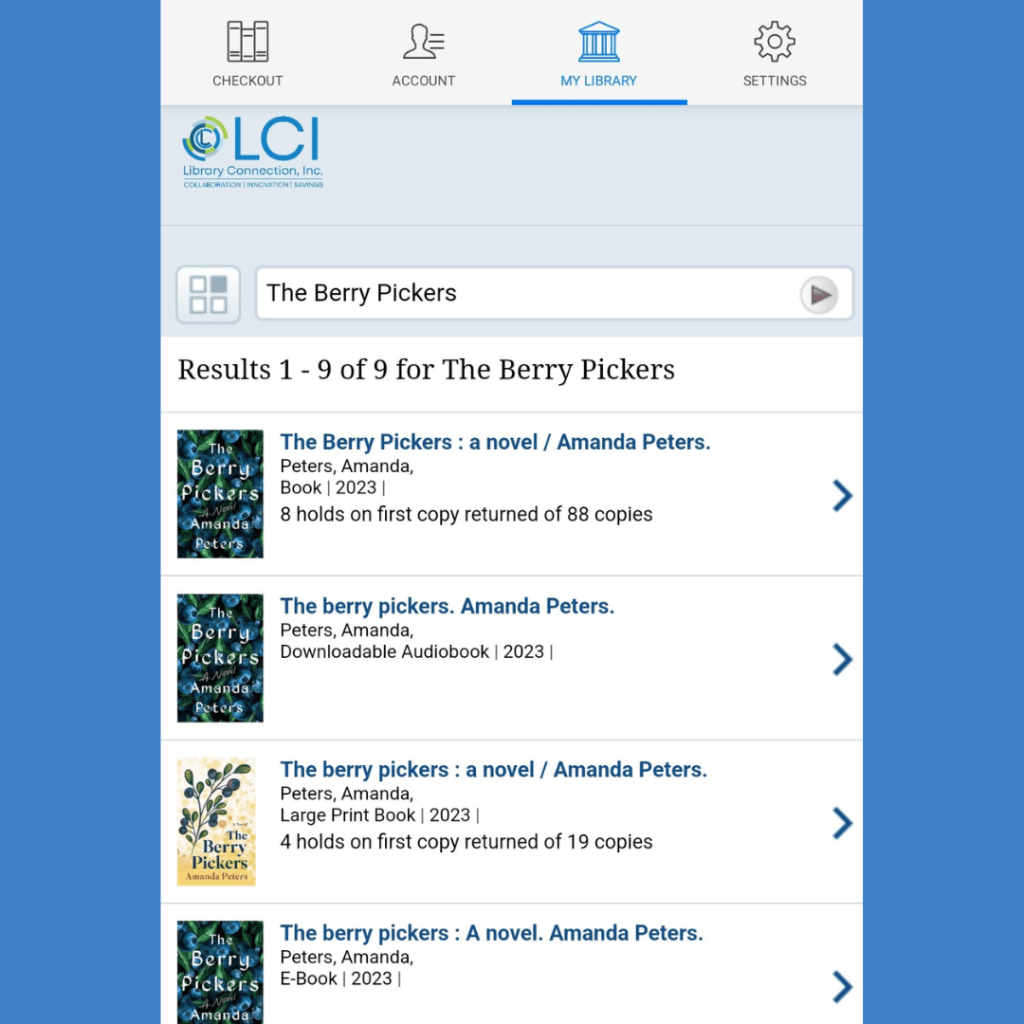
There’s a shortcut in the Meescan app that lets you search for books via our online catalog. This is the same catalog you’ll find at the stationary computers in the lobby and the main reading room. I find this feature very convenient, especially if I’m up in Nonfiction on the third floor and don’t want to go back downstairs to the catalog computers to find a call number.
3. Quickly swap between different cards. Great for families!
Let’s say, hypothetically, you have 3 kids. They each have their own library card, and you make a trip to the library to borrow books for all of them. Rather than trying to remember whose card is whose while you’re searching through your bag at the front desk, just use Meescan! It lets you save multiple accounts that you can easily switch between from the home screen. Check out books for one child, switch accounts, and repeat. Just don’t forget to grab some books for yourself!

HOW TO SET UP MEESCAN:
Meescan will not work outside of the library’s premises, so it’s best to follow these steps on your phone while at Russell Library. You can even bring it to the 2nd floor Information desk and a staff member will be happy to assist you with setup.
- Download the Meescan app from the iOS store (iPhone) or the Play Store (Android), and open the app.
- The app will request to use your device’s camera and location services. Be sure to accept these permissions. Meescan uses your phone’s location to determine whether or not you are at the library.
- Click “Start” and log in with your Library Card number (you can scan your card with the app, or type in your number manually).
- Tap “Start” once more.
- You’re done, go borrow all of the books!
“Amazing! Is this too good to be true??”
Well, it’s certainly all true. I wouldn’t say it’s too good to be true, though. Make no mistake; Meescan won’t help you read books faster, or give you any other library privileges you didn’t already have by having a library card. But it is convenient, offers privacy, and might even spark a little extra joy in your day.
Since we’re ruminating on the existential merits of Meescan, allow me to address some common concerns:
“Is this taking away library jobs?”
Nope! In fact, the librarians at Russell made the conscious decision to offer Meescan services at the library, and we even use it ourselves! We don’t expect it to be everyone’s cup of tea–we just want you to be aware of the option and benefits, and to give it a try!
“But last week when I visited the library, there was only one staff member working in the lobby, and there used to be two or three! You’re lying!”
I promise I’m not lying! However, that’s a very astute observation; there is one less staff member behind the front desk. After the November 2024 lobby renovation, some of the tasks normally processed at the desk are now handled in a different office behind-the-scenes. They’re still processing holds, sorting returned books, and taking your phone calls, so you can rest assured that no jobs have been eliminated at the hands of Meescan.
“Okay, okay… but I still don’t want to use Meescan. You can’t make me.“
You’re right, we can’t! But we’d be remiss not to inform you of your options, newfangled or otherwise. And who knows, maybe you give it a try and find that you like it!
Happy browsing!
 The Library Vault
Leave a comment